
KOMPASS Software
Training schedules and advertising screens for gyms and clubs.
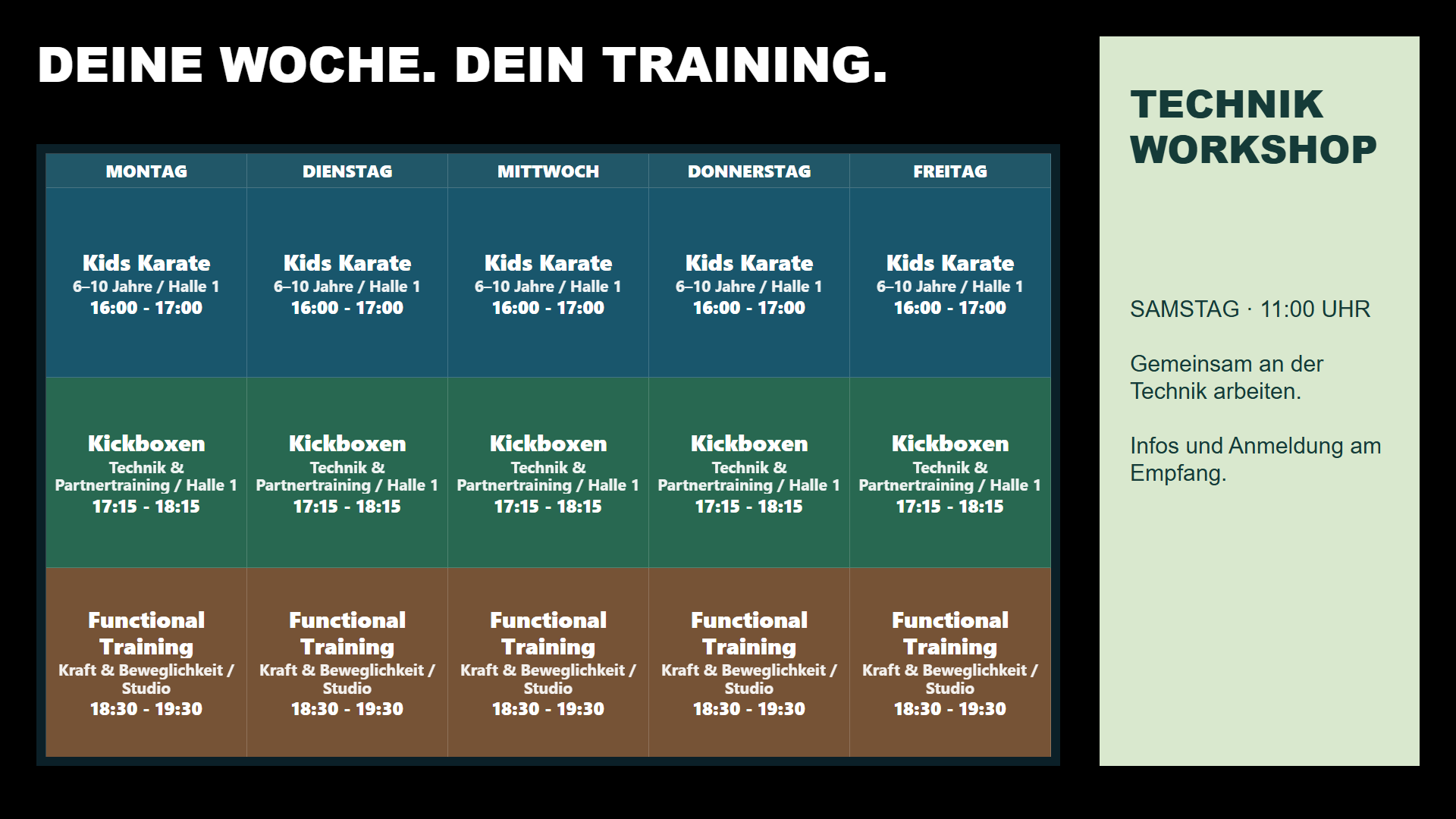
Show the training schedule at reception alongside workshops, events or notices. KOMPASS signage software lets you manage the regular week and its exceptions. The display combines the timetable with your other content.
Start with the regular week.
Create training types with a name, additional text, location and colour. Add sessions with start and end times to the regular week, so recurring content does not have to be entered again each week.
Edit, copy or remove entries. The screen layout determines how the saved schedule is displayed and which days are highlighted.
Make an exception for a specific calendar week.
A trainer is away, holiday hours change or a workshop replaces the regular session: edit the affected calendar week. The regular week remains available for normal operation.
Keep recurring training times separate from one-off changes. Check the selected week in the preview before relying on the display at reception.
Keep the schedule readable and make room for other content.
Reserve an area for the training overview. Images and videos can change alongside it in a media playlist, with a scheduled workshop notice adding relevant information.
For a larger event announcement, switch the entire page from the weekly timetable to the event. Tickers and popup overlays can carry short additional notices.
Show the same schedule on your website.
The training schedule can be enabled for a website embed. Screens and the website then use the same saved schedule and weekly exceptions. The web view offers options including light and dark appearances.
Website sharing can be withdrawn. It is an additional channel for the timetable and is configured independently of the screen design.
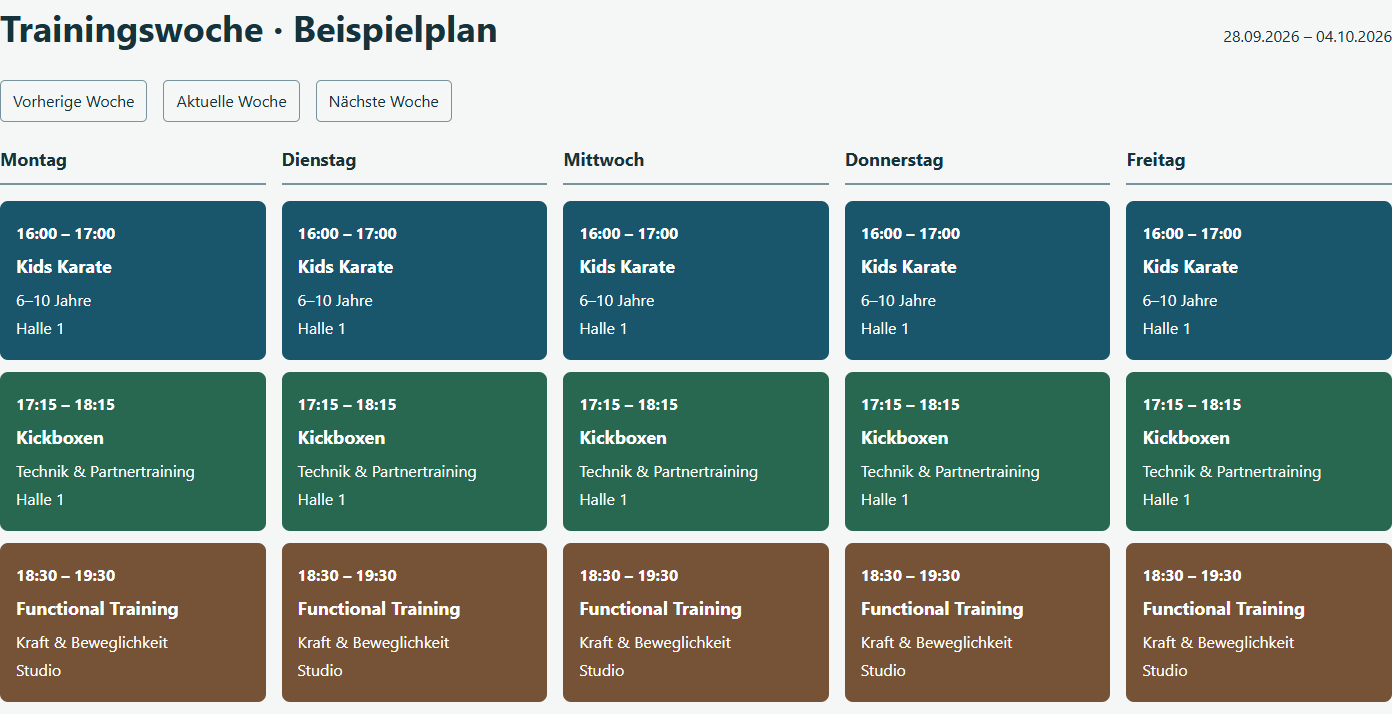
Schedule management, screen and website views.
The management view shows the weekly overview. The screen view combines the schedule with a workshop notice. Another view shows the timetable on a website. The images use example sessions.

One maintained schedule, displayed to suit your setting.
Edit sessions in schedule management. The layout combines them with other content.
Start training schedule previewFrequently asked questions
Do I need to maintain a second timetable for the website?
The enabled embed uses the same saved schedule source as the screen. The web view needs a connection.
Can a workshop notice appear beside the timetable?
Yes. The layout can reserve one area for the schedule and another for notices or changing media.
What information do your members need on site?
Let us discuss your weekly timetable, the notices alongside it and suitable screens for reception, waiting areas or the training floor.