
KOMPASS Software
Digital sauna schedules for spa and wellness.
Show sauna sessions, treatments and daily notices where guests need them. Use KOMPASS signage software to manage daily schedules and select the relevant saunas or areas for each display, with room for other content alongside the timetable.
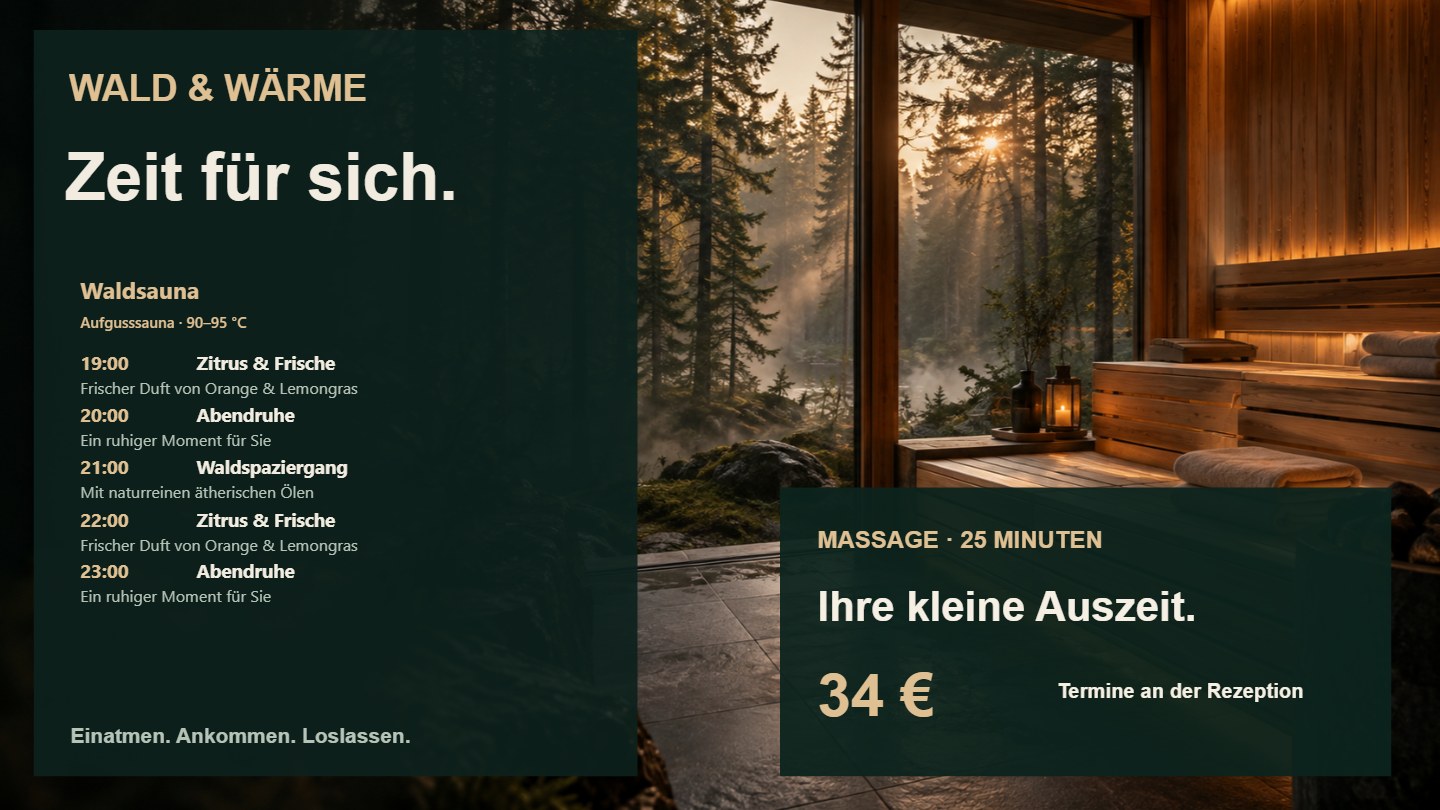
One daily schedule, suitable views around the venue.
Reception can show the full overview, while the display outside a sauna shows its own schedule. A relaxation area can bring selected areas together.
The display configuration determines which saunas and sessions it uses. Maintain the sessions in the daily schedule, so a changed start time does not require redesigning every screen.
Prepare routines and adapt the day.
Maintain saunas, areas, infusion products, treatments and music programmes as reusable information. Add templates to a daily schedule, then adjust individual entries to the actual programme.
Start time, duration and notes belong to each session, supporting both short sauna sessions and longer programmes. The display is set up to keep relevant times and notes readable.
Add advertising while keeping the schedule visible.
Reserve an area next to the schedule for product images, wellness offers or restaurant notices. A media playlist can show images and videos in sequence there.
Alternatively, rotate complete pages between the timetable and an offer. Popup playlists add temporary overlays; a ticker carries short running messages. Choose which information remains visible and which can change.
Choose content for each area.
A screen at the entrance may need different information from one outside a sauna. Assign suitable designs and content to each position. Combine the schedule with the time, text, logos and images.
Hardware selection depends on the location. Tell us where the display will be mounted and the conditions in which it will operate.
Daily schedule and offers on one screen.
The sauna schedule example shows sessions with an additional image area. Start the preview to see the running display with example content.
Frequently asked questions
Can each screen show only selected saunas?
Yes. Select the required saunas and areas in the sauna widget to create both a full overview and focused views for individual positions.
Do I need to redesign each display when a session changes?
Start times, durations and notes are maintained in the daily schedule. The configured views use that session data, so the design does not need to be redrawn.
Which information belongs in which location?
Let us discuss views for reception, sauna and relaxation areas, along with suitable screens for your installation.